 Bridge Code
Run and manage remote sessions
Start a new session in any folder on any PC, and follow running sessions from anywhere. Progress is grouped by PC at a glance.
Pick up the Claude Code session running on your work PC from home, and open and fix server files on the spot.
macOS · Windows · iPhone · Web
Bridge Code: Claude Code sessions and files from all your PCs, in one place
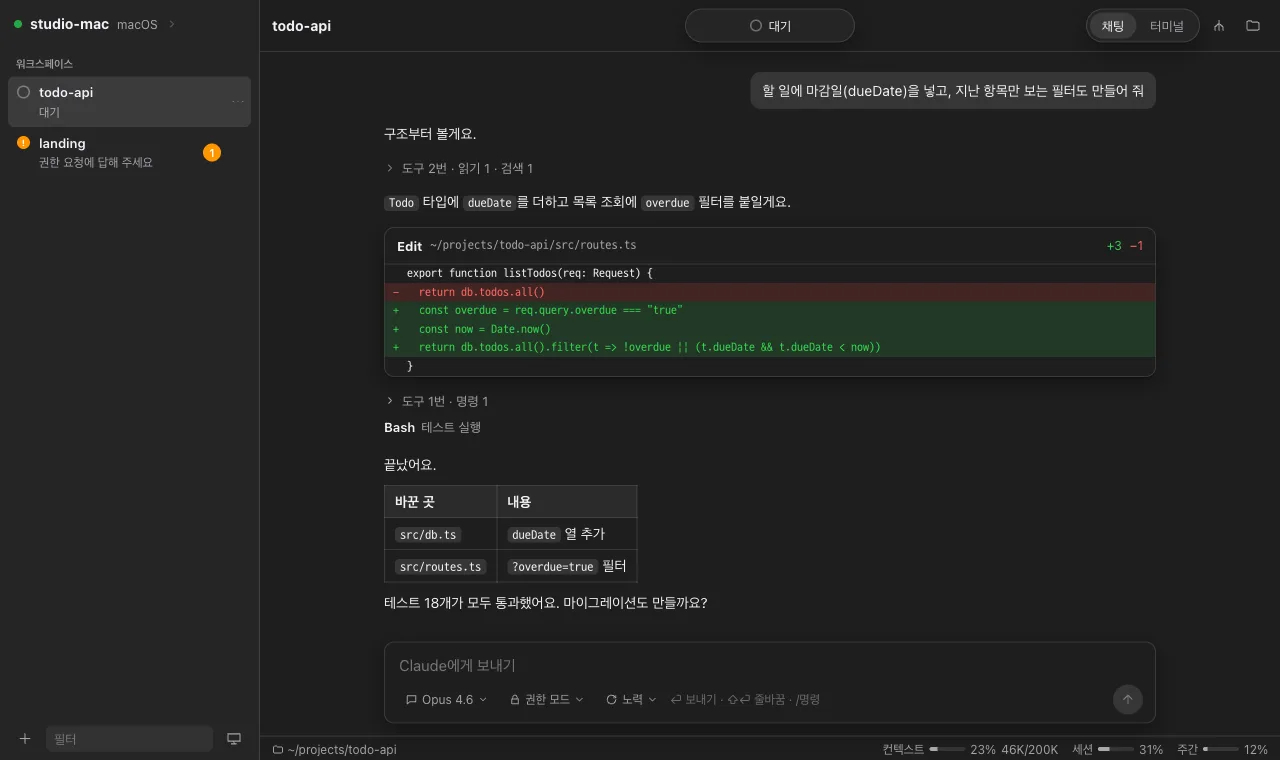
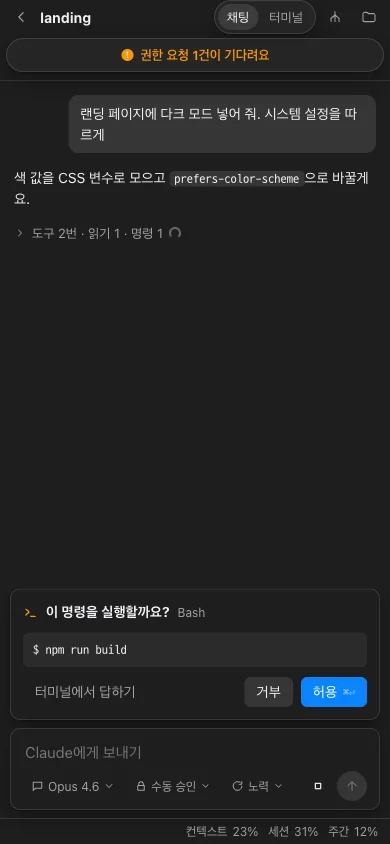
See every session on every PC in a single list, and answer permission requests with a button. Switch between chat and terminal whenever you like.
WHAT YOU CAN DO WITH BRIDGE CODE
Start a new session in any folder on any PC, and follow running sessions from anywhere. Progress is grouped by PC at a glance.
Browse another PC's folders to open, upload and download files. Files Claude changed, and the exact lines it touched, are clearly marked.
Use the terminal as you always have, or hand off work in a chat. The work shows up as a conversation, and permission requests are a button press away.
Away from your desk? Approve permission requests right from your phone.
Open a shell on another PC, and open the dev servers running there just as easily.
Install the app, or sign in on the website and use it from anywhere.
Our servers only relay encrypted data. Only your own devices can read it.
PRICING
We're not charging yet. Request Pro and it opens up once an admin reviews your request.
This PC only
Free
All your PCs, from anywhere
By request for now
Work together as a team